Home / Solutions / Exercise & Simulation / Simulate Operations
✣ Exercise & Simulation · Simulate Operations
Simulate Operations:
your operations center, under pressure
Short answer
Simulate Operations puts your team in a live operations center. People take seats on an EOC, ICS, incident command or business continuity chart, AI crews hold every empty seat, and a Threat team plays the hazard and the adversary. Calls reach players on screen or on their real phones. The debrief shows key moments and a scorecard per person.
Key facts
Includes
Seat charts · AI crews · Threat team
Verified by
Preppr Verified · 1,500+ rules
Outputs
Debrief and scorecards
app.preppr.ai
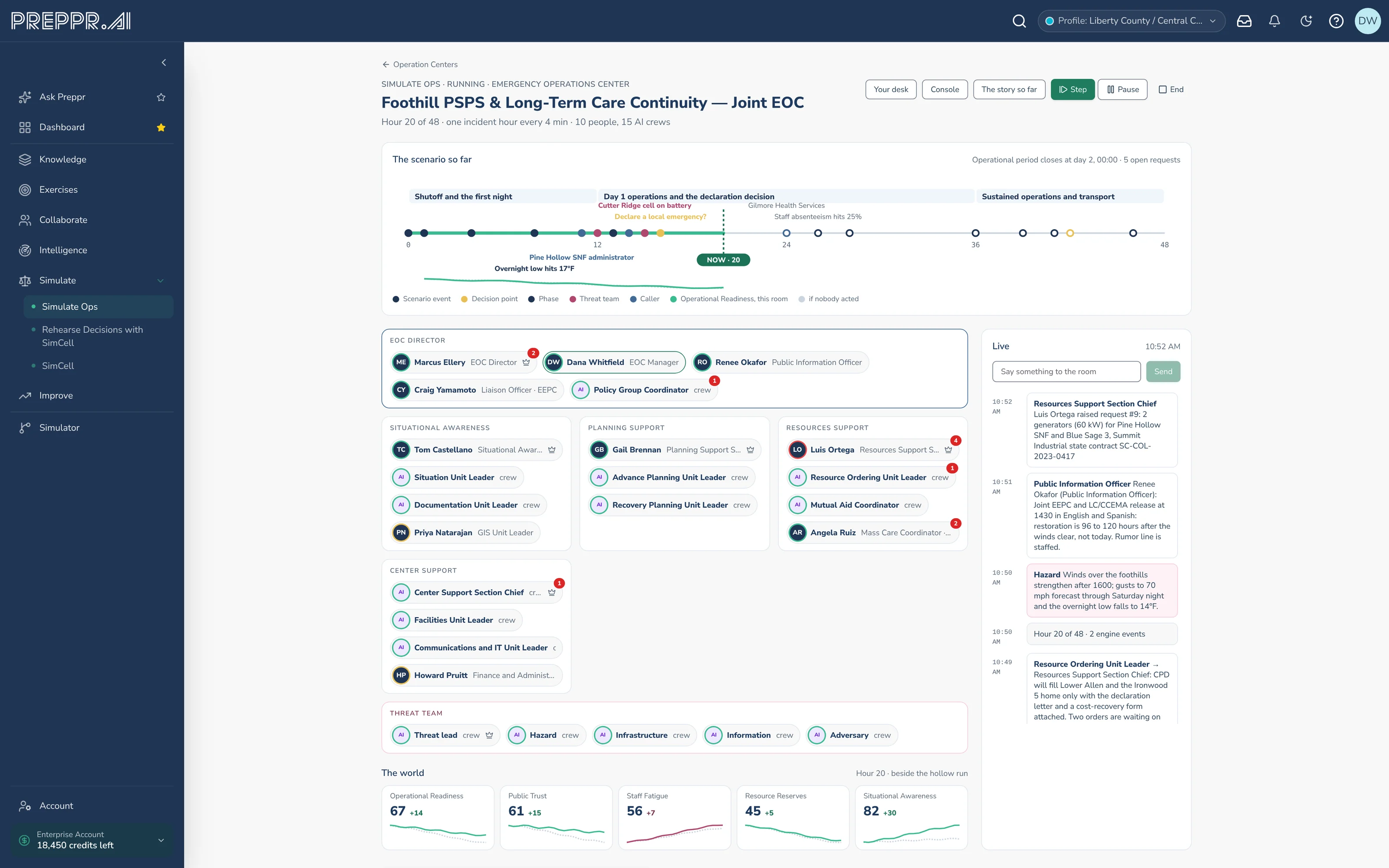
Every seat filled, by your people or by AI crews
What Simulate Operations can do
Design
Build from a scenario starter or an exercise design, on an EOC, ICS, incident command or business continuity seat chart.
Run
People take seats, AI crews hold the rest, a Threat team injects, and callers ring real phones.
Hand over
A debrief with key moments, what held and what slipped, and a scorecard per person.
✣ Inside the operations center
Every seat filled.
1 · Seats
People and AI crews
People claim the seats they hold in real life; AI crews fill the rest at the competence you set.
2 · Threat team
Pressure
It plays the hazard and the adversary, and proposes injects for the host to approve.
3 · Calls
Phones and rooms
Callers ring on screen or on real phones; sections huddle in rooms with a scribe.
4 · Partners
Shared floor
Invite partner organizations to take their own seats and see the floor.
Run it again as a campaign: the same people and partners, with the last debrief carried forward.
app.preppr.ai
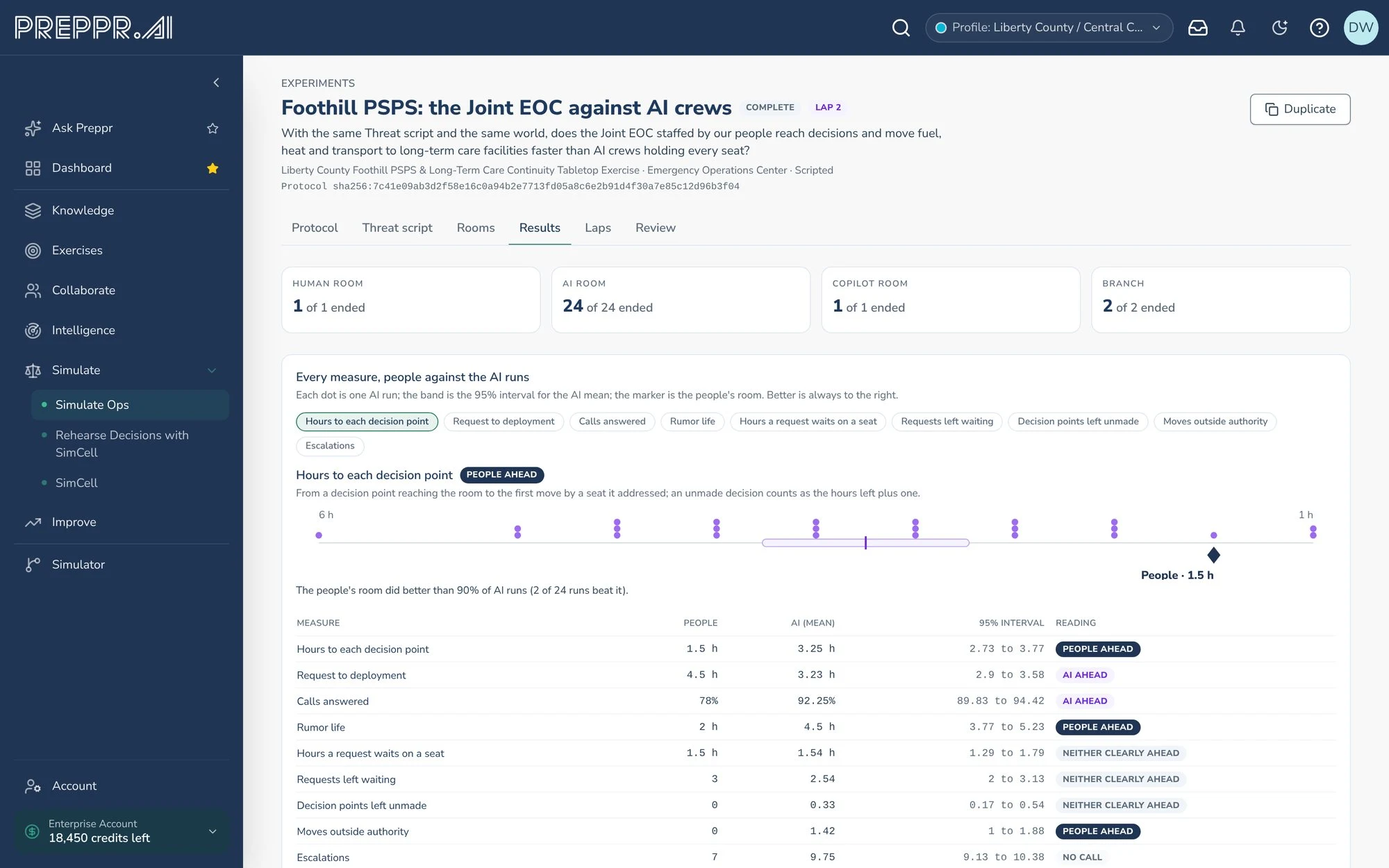
Experiments run the same script with your people and with AI crews in every seat, then compare them measure by measure
✣ What you get
What the debrief shows.
Live board
Seat desks
Host console
Threat-team proposals
Phone calls
Rooms with a scribe
Key moments
What held and what slipped
Scorecard per person
Comparison with a run nobody acted on
Campaigns
Every run feeds Improve.
✣ How it connects
Five product areas. One record that compounds.
Every plan, exercise, discussion, and decision feeds one living system so nothing you learn resets to zero next time.
Ask and act
Ask Preppr
Answers and deliverables, wherever you work.
Remember
Knowledge
One cited, connected memory for the whole organization.
Practice
Exercise & Simulation
Design, run and learn from every kind of exercise.
Engage
Collaborate
Structured input from everyone who should weigh in.
Watch
Intelligence
Sourced threat briefs scoped to your place.
Where it all lands
Improve
All five feed it: readiness you can show.
See it with your own plans.
A 30-minute demo built around your hazards and obligations.