
Updated for Exercise Designer V2
The original version of this article walked through eight sequential steps to build a tabletop exercise in Preppr. That was an accurate description of how V1 worked. Exercise Designer V2 is a different product with a different philosophy, and it deserves a different explanation.
The core change: Exercise Designer V2 is not a linear wizard. It meets you wherever you are.
Come with nothing — Preppr builds from scratch. Come with a rough scenario concept — Preppr picks it up and runs. Come with a fully drafted SITMAN covered in reviewer comments and redlines — Preppr adjudicates the feedback, preserves what should be preserved, maps downstream changes, and gets you to a finished exercise plan. The starting point doesn't determine the quality of the output. The ending point is always the same: a complete, doctrine-aligned, delivery-ready exercise.
Here's what V2 can do and why it's designed that way.
Four entry modes, one destination
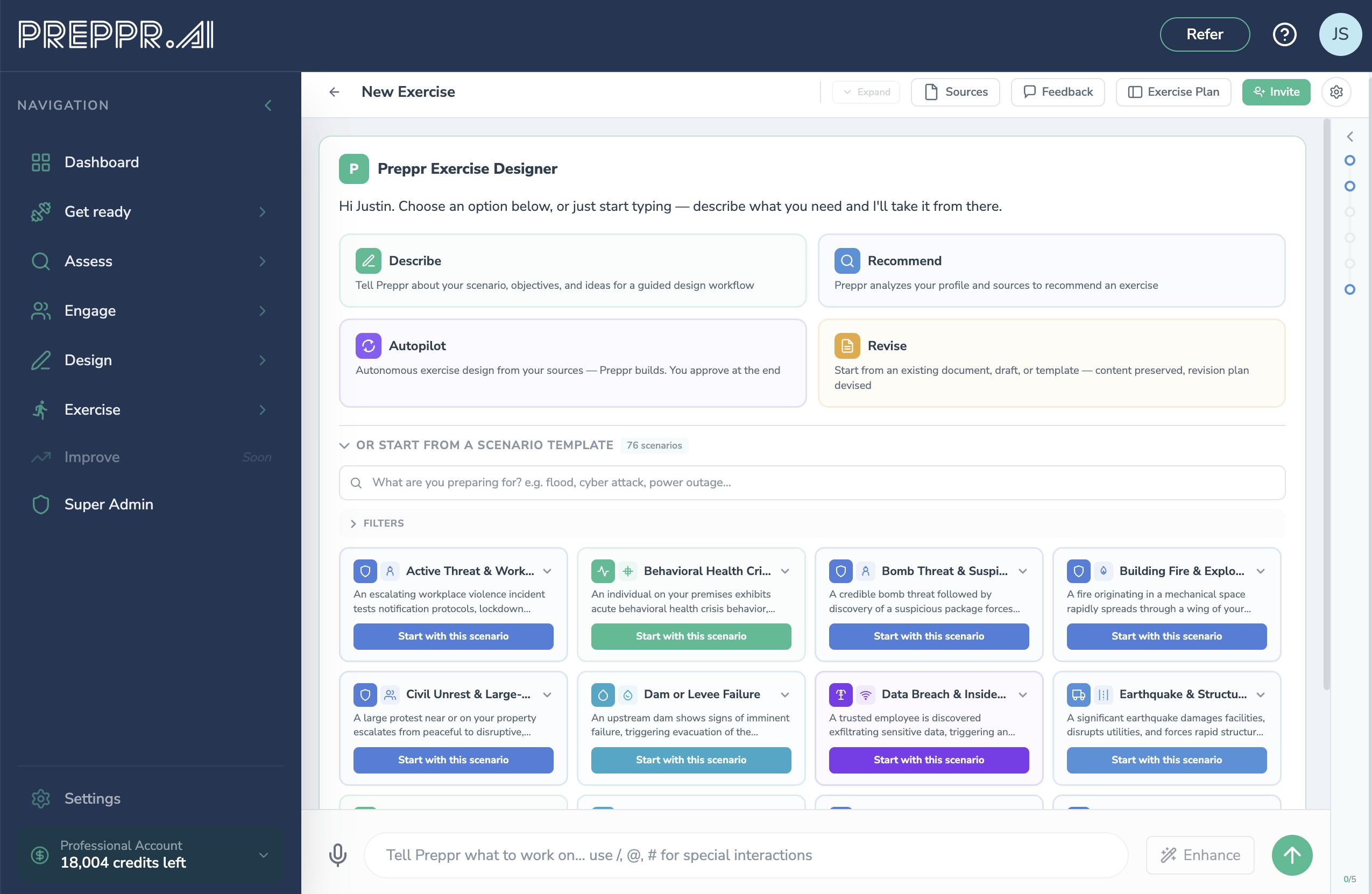
Every design session begins with Discovery. Preppr consults your source documents — Emergency Operations Plans, threat assessments, AARs, THIRAs, mutual aid agreements — surfaces what it found, and presents a starting point for your review. From there, you choose how much you want to drive and how much you want to hand off. Four modes cover the full range.
Describe is for planners who want to stay in control. You provide the direction — scenario concept, audience, threat, objectives, constraints, any combination — and Preppr builds around what you've given it. Describe what you know, skip what you don't, and Preppr fills the gaps without overwriting your intent.
Recommend surfaces Preppr's own read of your materials as a starting point. Based on what your documents reveal — gaps from prior AARs, risks flagged in your THIRA, capabilities that haven't been tested — Preppr proposes a scenario, objectives, and structure. You review and confirm before anything is built.
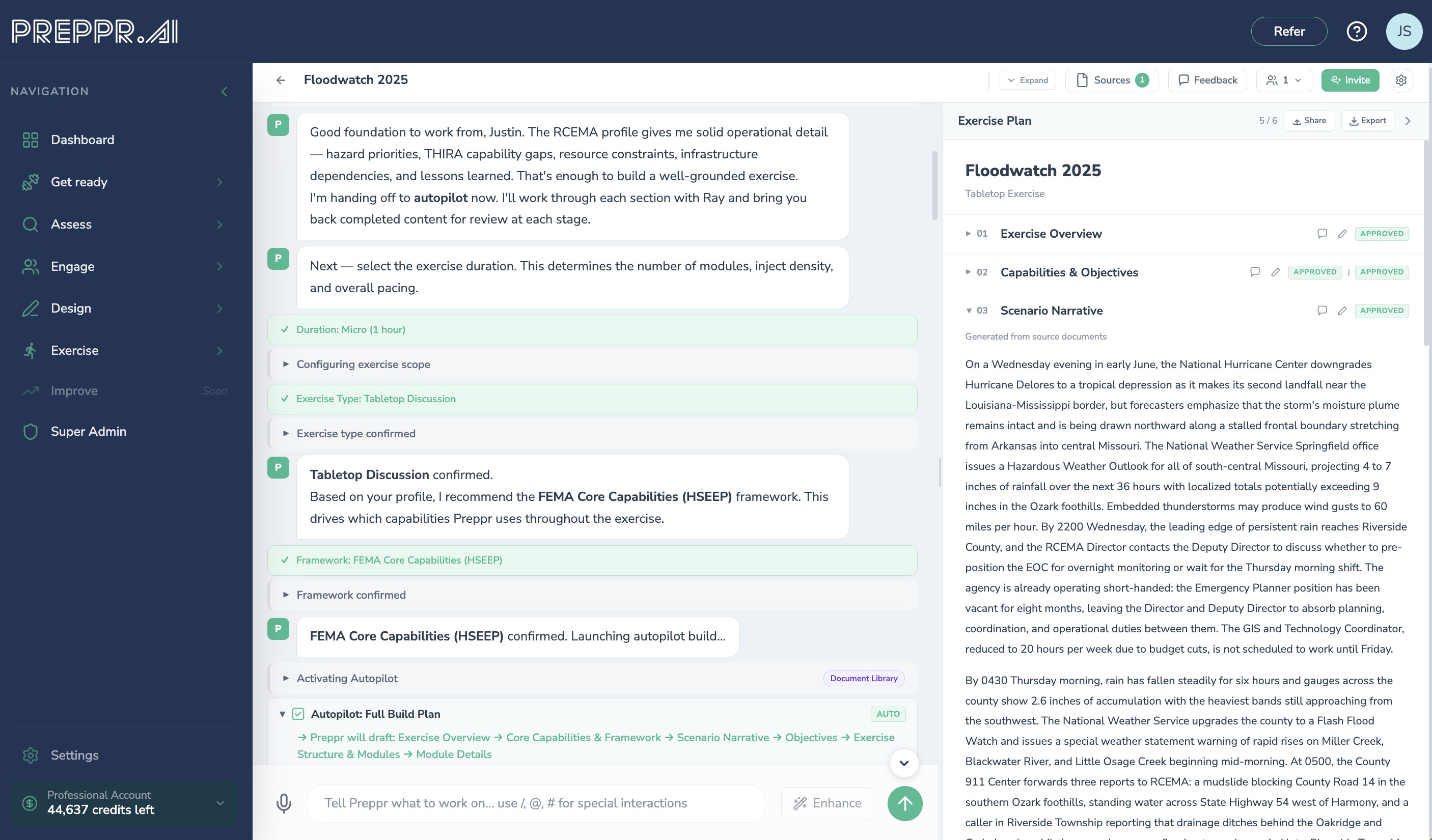
Autopilot activates after Discovery. Every design session begins with a Discovery phase — Preppr analyzes your source documents, infers the right hazard, audience, capabilities, and objectives, and surfaces a Discovery Summary for your review. From there, you can take over or hand off. Click Autopilot and Preppr runs the complete generation pipeline end-to-end without you: scenario narrative, objectives, modules, injects, discussion questions, controller notes, and MSEL.
What makes Autopilot distinctive is how it makes decisions. Rather than silently generating content, Preppr deliberates visibly with a synthetic persona that you define — a simulated practitioner who represents your organizational context, challenges design choices, demands justification grounded in your source documents, and pushes back when something doesn't fit. You control how demanding that persona is. The result is a design that's been stress-tested against your own organizational reality before you ever open it. Come back to a review-ready exercise plan. Revise what needs adjustment, approve what doesn't.
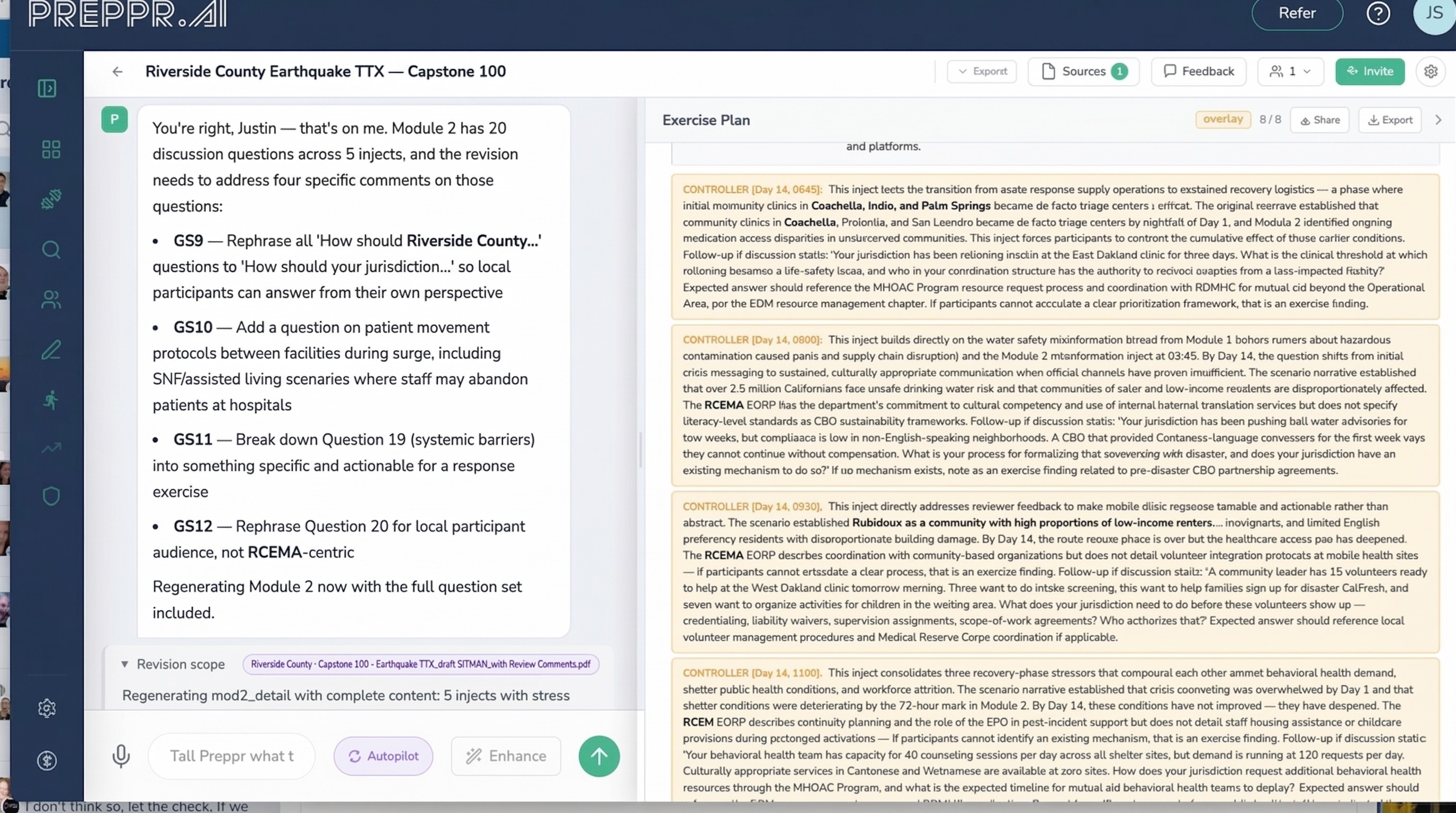
Revise is for organizations that already have exercise materials. It accepts SITMANs filled with redlines and reviewer comments, adjudicates the feedback, preserves existing content, and maps downstream dependencies before presenting a proposed change plan. After human approval, Preppr updates the exercise and produces new documentation along with a crosswalk that records every change accepted, rejected, and the reasoning behind each decision. What most organizations manage through email chains and tracked-changes documents becomes a structured, auditable process.
Review is part of the design
Exercise design isn't just content production. It's a negotiation — between planners, reviewers, subject matter experts, and leadership — and the work of managing that negotiation typically falls outside any tool. Emails accumulate. Tracked-changes documents multiply. Feedback arrives in different formats from people with different levels of authority, and someone has to reconcile it all, document what was taken, explain what wasn't, and get sign-off before the exercise goes to participants.
Preppr builds review into the design process at every stage, not just at the end.
Drafts can be shared with reviewers at any point — after scenario confirmation, after injects are generated, after the full plan is assembled. Reviewers receive a structured interface to comment, redline, and submit feedback directly. When submissions come in, Preppr consolidates them, identifies conflicts, and generates a proposed resolution plan. You review and approve. Preppr updates the content and produces a crosswalk that records every change: what was accepted, what was rejected, and the reasoning behind each decision.
That crosswalk isn't administrative overhead — it's the documentation that makes the exercise defensible. When leadership asks why a particular scenario element was included or dropped, the answer is already written. When an accreditor wants evidence of a structured planning process, it exists. When you're designing next year's exercise and want to know what this year's reviewers pushed back on, it's in the record.
The result is that stakeholder buy-in and exercise quality reinforce each other rather than trading off. Getting more reviewers involved doesn't mean more reconciliation work. It means a more thoroughly vetted exercise and a more complete audit trail.
What drives the design: three intelligence layers
Regardless of which entry mode you use, every exercise Preppr designs draws from the same three sources of intelligence simultaneously.
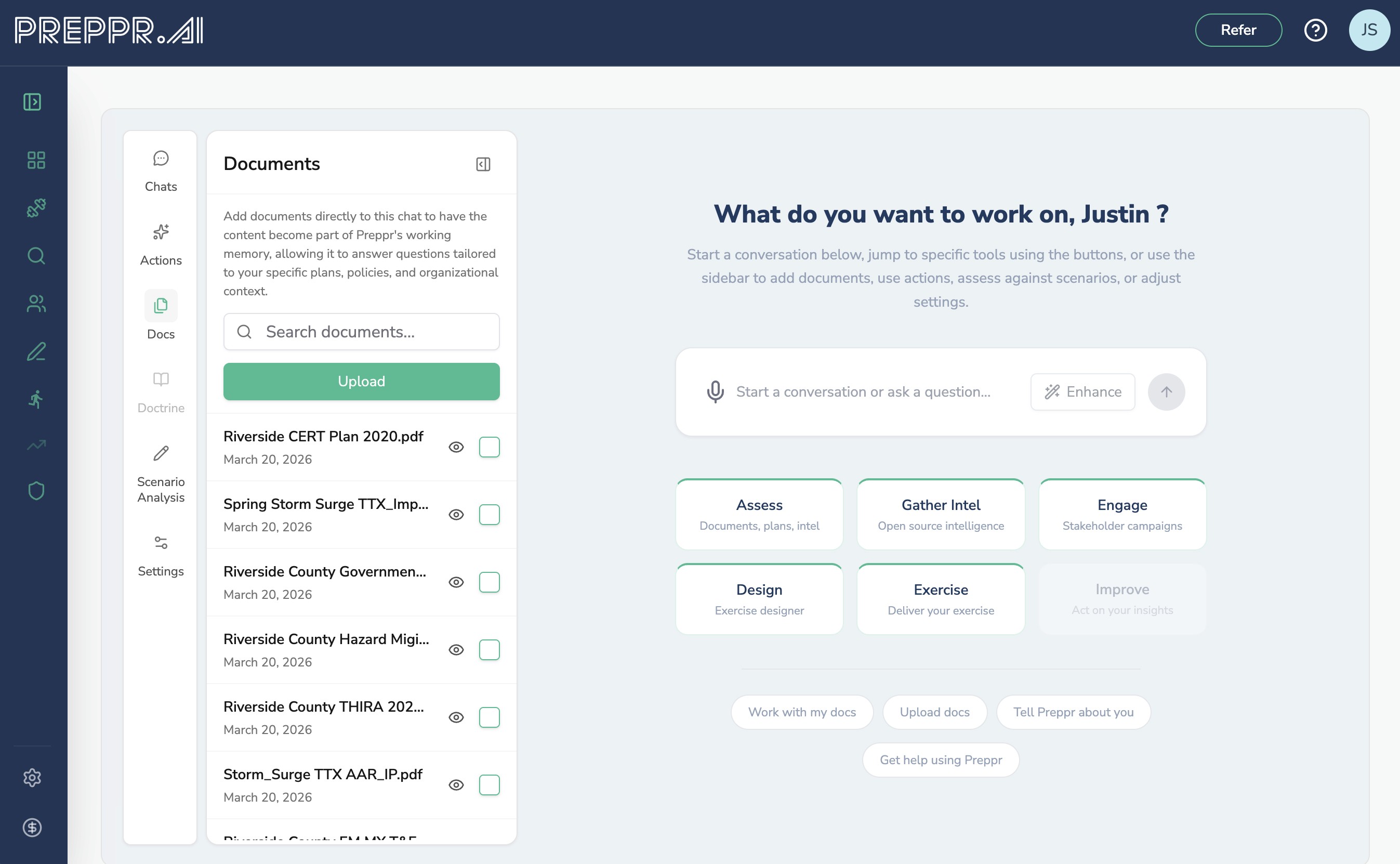
Your documents. Preppr reads your uploaded organizational materials and uses them throughout design — not just at the start. When generating injects, it references your actual response timelines, resource inventories, and documented gaps. When writing controller notes, it cites your SOPs and plan sections. When identifying objectives, it surfaces improvement areas from your own AARs. The exercise reflects your organizational reality, not a generic template. Your entire document library is available within the Exercise Designer v2.
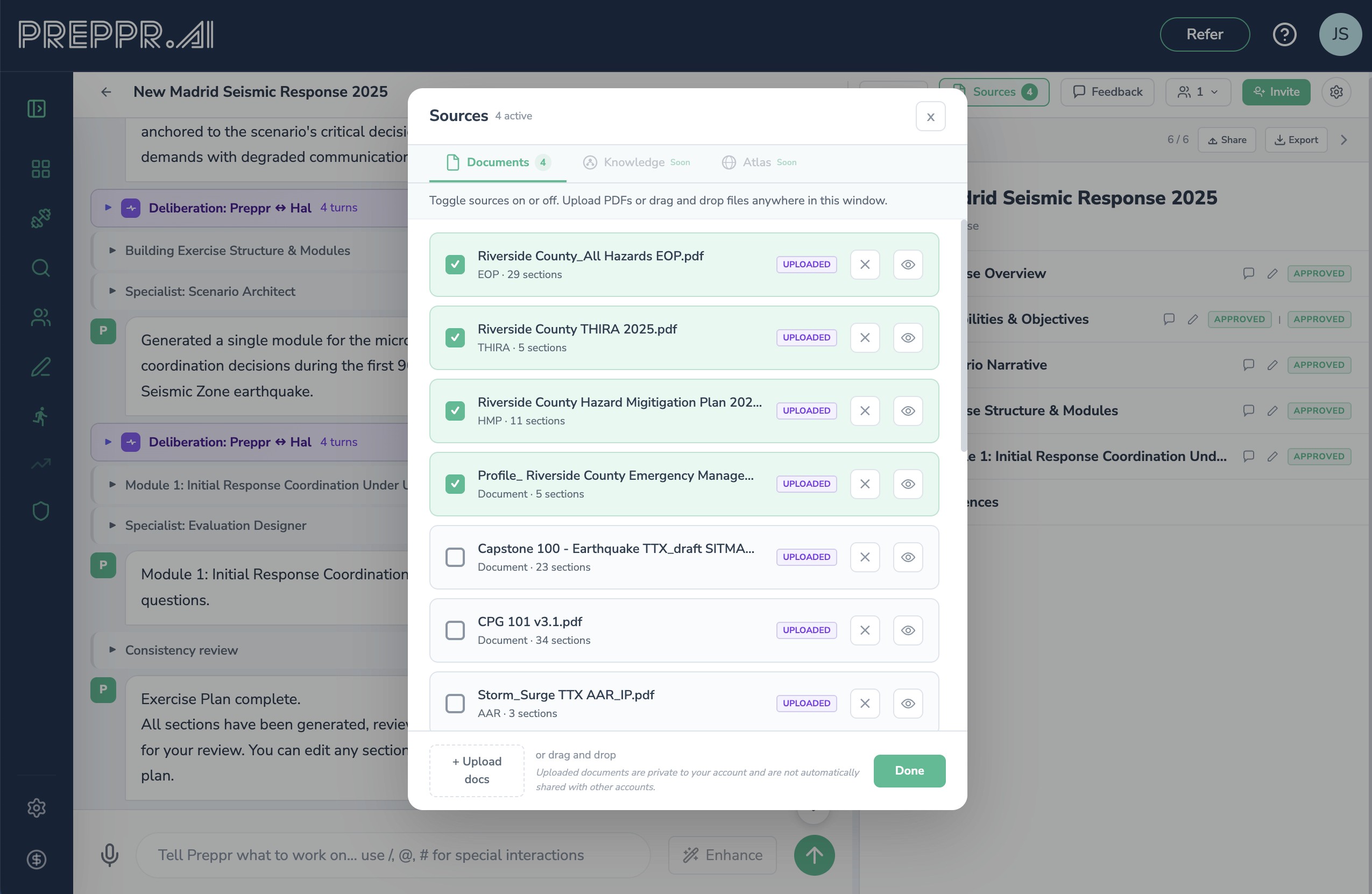
You can also work with your documents in Ask Preppr. There you can conduct analyzes, develop content, and easily pull it into the Exercise Designer.
Your organizational substrate. Documents are a starting point. Preppr Knowledge is what they become.
Every time you work with Preppr — uploading plans, running exercises, completing assessments, engaging stakeholders through Collaborate — that information doesn't sit inert in a file store. It's processed into a relational knowledge graph: a structured, living representation of your organization's preparedness architecture. Your facilities and jurisdictions. Your capabilities and the gaps in them. Your inter-agency relationships and the agreements that govern them. The findings from your exercises and what you did — or didn't do — about them. Preppr Knowledge builds this picture continuously, from every source Preppr touches.
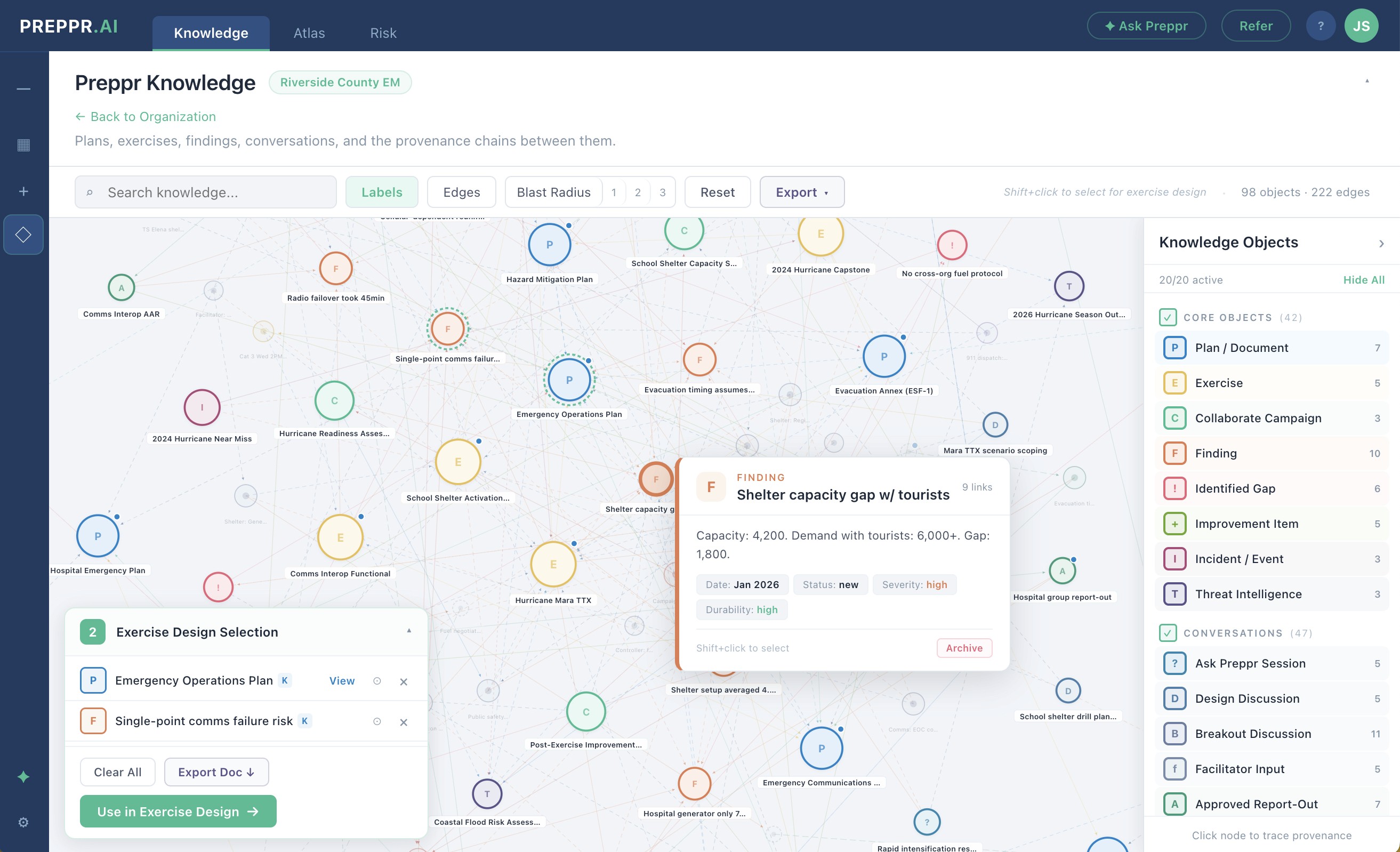
This matters because most preparedness information exists in isolation. A plan references a resource that appears nowhere else. An AAR finding gets filed and forgotten. A THIRA gap never makes it into an exercise objective. Preppr Knowledge closes those loops. When Preppr designs an exercise, it's not just reading your documents — it's querying a connected model of your organization that knows how your capabilities relate to your risks, how your plans relate to each other, and where the gaps in that picture are. The exercise that comes out reflects not just what your documents say, but what the pattern of your documents reveals.
Preppr Knowledge also compounds. The first exercise you build with Preppr is informed by what you've uploaded. The fifth is informed by four cycles of exercise history, facilitated discussions, improvement plan tracking, and continuous intelligence feeds from Preppr Intelligence and Atlas. The substrate grows with your program. What you learn doesn't disappear between exercises — it becomes the foundation the next one is built on.
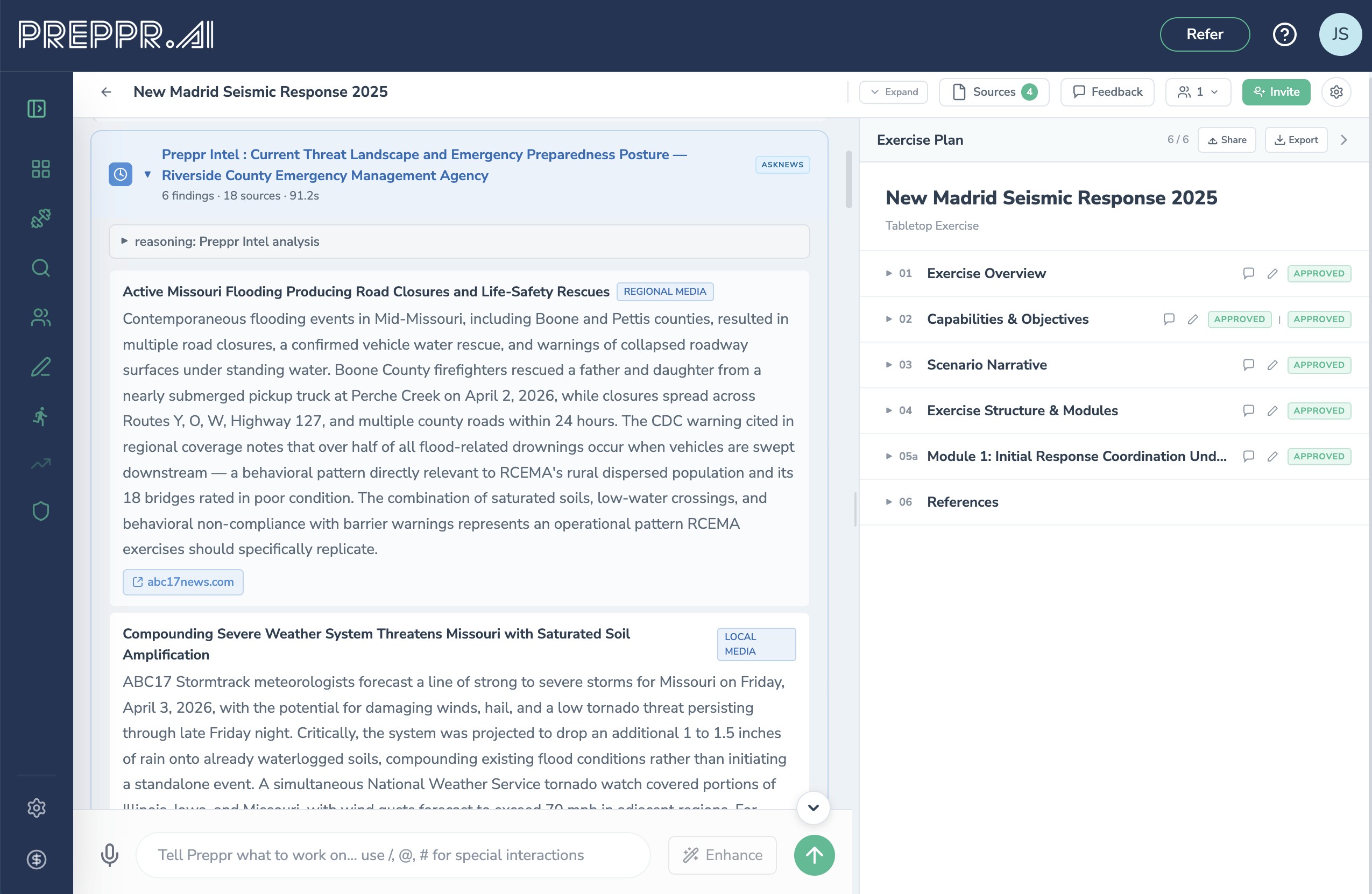
Open source intelligence. When you start an exercise design, Preppr Intelligence automatically pulls real-time threat data from open sources — current incident reporting, active advisories, recent events matching your hazard type and geography. This flows directly into scenario generation, grounding your narrative in what's actually happening rather than what happened in a training scenario five years ago. The result is a scenario that feels current, locally relevant, and professionally informed without requiring the planner to separately research and synthesize threat data.
Doctrine and framework knowledge. V2 is built on a knowledge graph that encodes FEMA's Community Lifelines, FEMA Core Capabilities, HSEEP evaluation methodology, and crosswalks to PHEP, HPP, EPHEPR, and Joint Commission EM standards. This isn't a lookup table — it's a connected structure that drives design decisions throughout. When you select a hazard, the system understands which lifelines are at risk, which capabilities should be tested, and how those capabilities map across frameworks. Objectives connect to capabilities. Injects connect to objectives. Controller notes connect to evaluation criteria. Every element of the exercise traces back to doctrine, automatically.
Scenario design: grounded, not generic
V2 includes a library of 76+ scenario starter cards, each grounded in real incidents and tagged to specific Community Lifelines and capability frameworks. These aren't generic "earthquake in a major city" prompts — they encode the operational pressure points, infrastructure dependencies, and coordination challenges that have actually emerged in similar events.
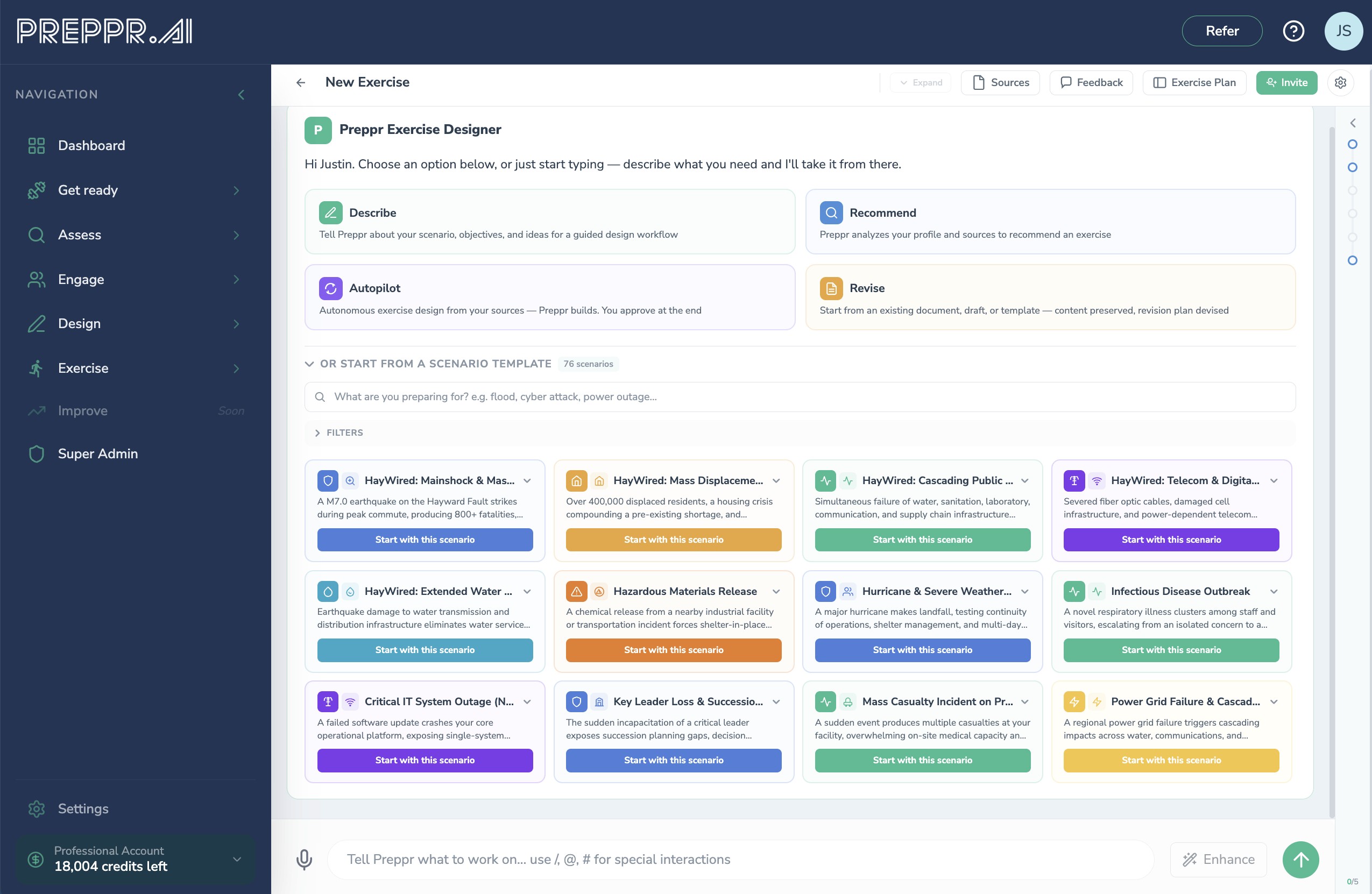
Each starter card includes a severity emergence framework — a structured model of how conditions escalate across incident phases. Rather than designing a scenario at a fixed severity level, you're designing a scenario that evolves realistically: what's true at hour two is different from what's true at hour twelve, and the inject sequence reflects that progression. Participants face compounding decisions, not isolated ones.
For multi-agency and multi-jurisdictional exercises, V2 supports Tabletop with Discussion Groups — a full breakout-to-plenary structure where functional groups discuss group-specific questions tied to each inject's stress mapping, then reconvene for facilitated synthesis. Each inject is mapped to which groups it primarily stresses, which it affects secondarily, and which it leaves peripheral. Questions are weighted accordingly. Plenary prompts target the cross-group tensions that matter most. The design produces an exercise that actually tests coordination, not just individual group knowledge.
The design-to-delivery pipeline
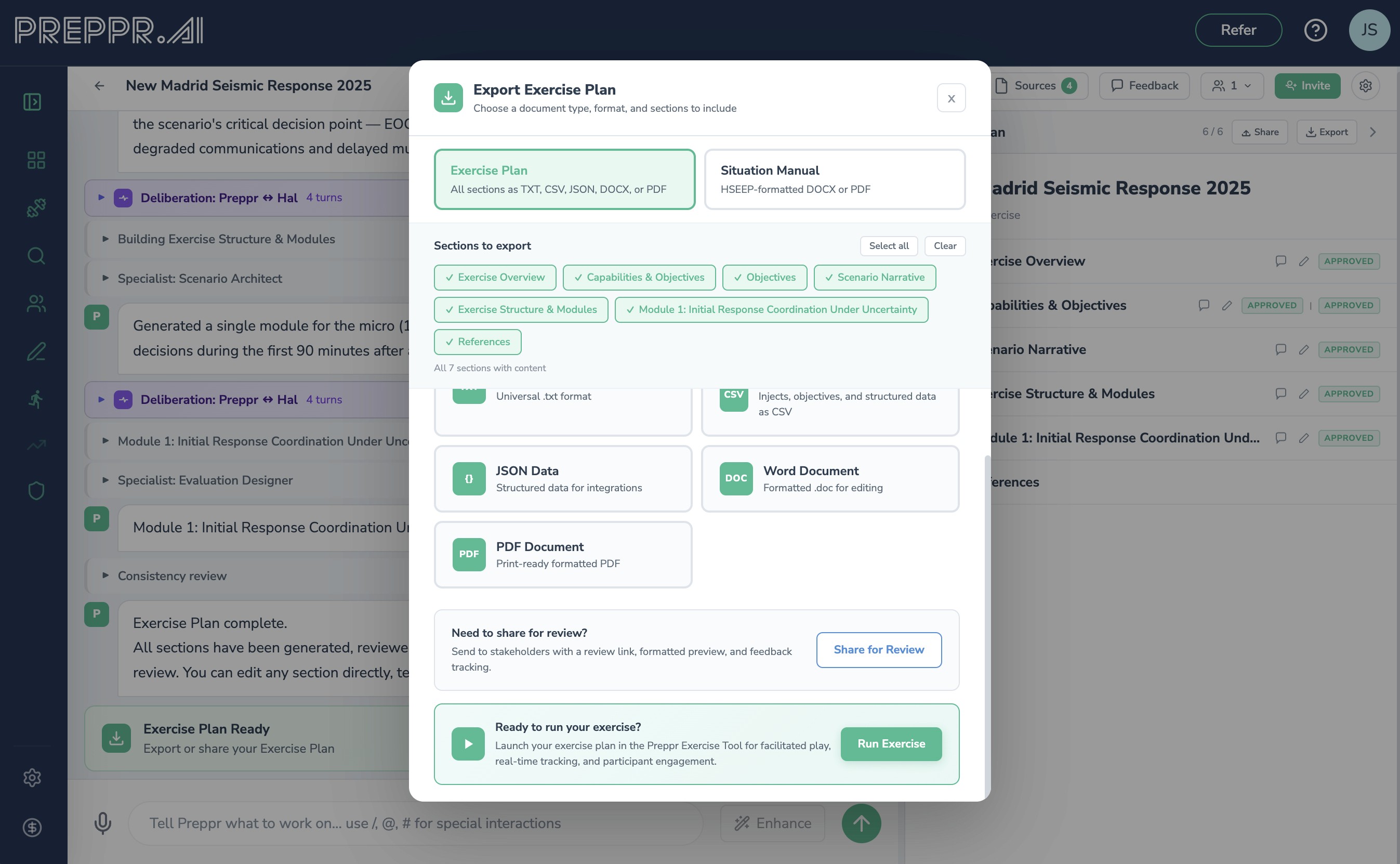
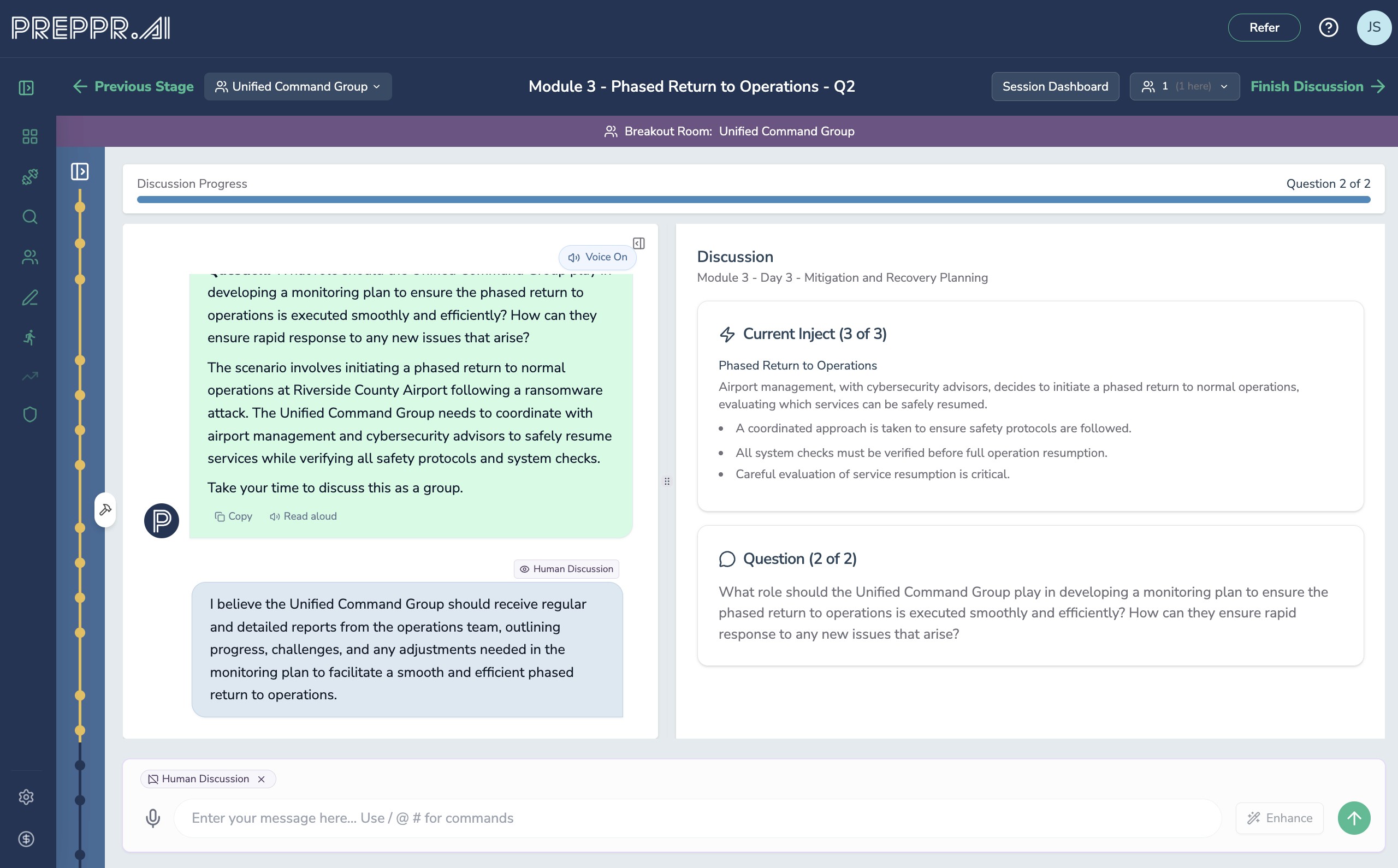
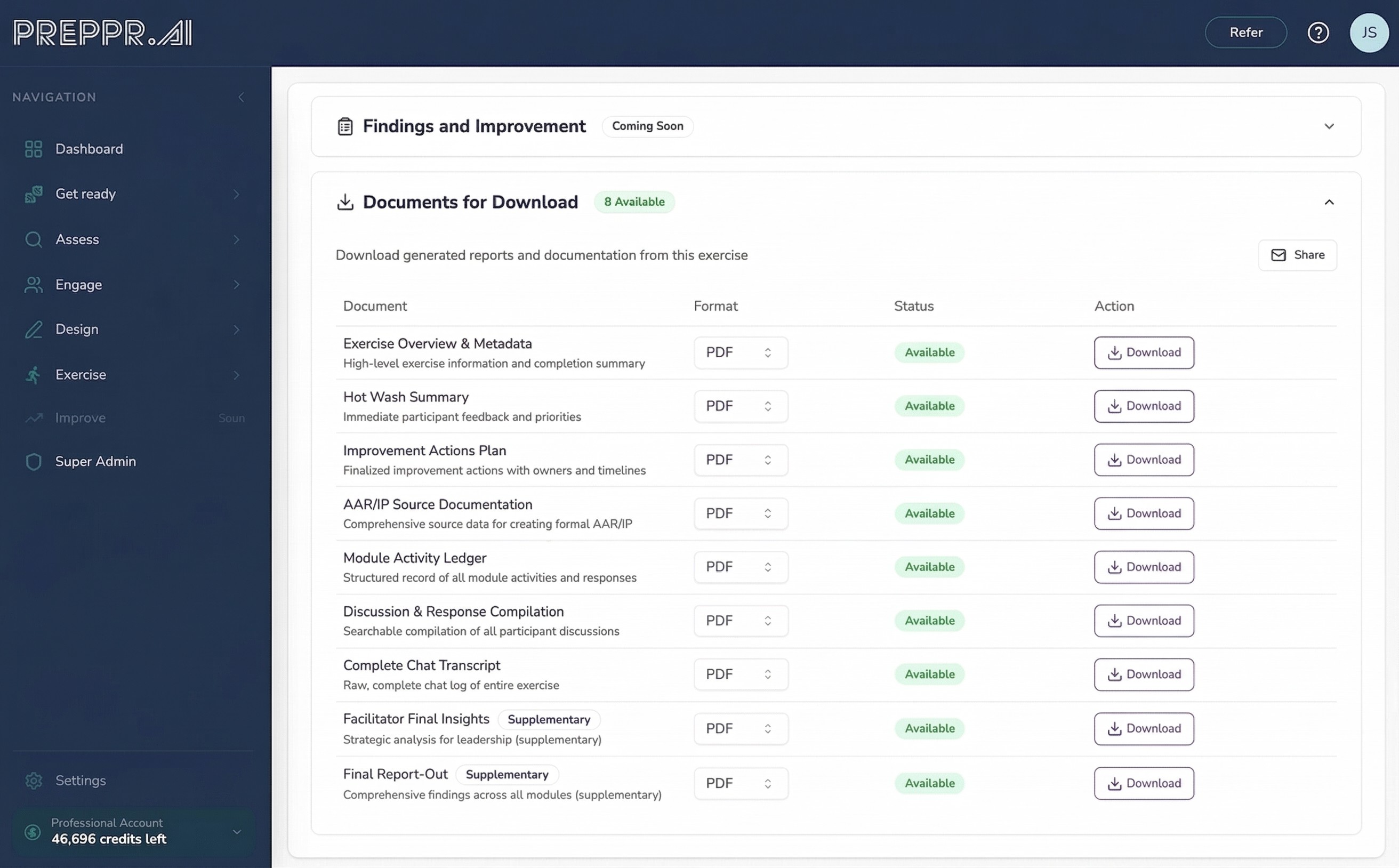
Exercise Designer V2 doesn't produce a document — it produces a deliverable. The exercise plan that comes out of the designer feeds directly into Preppr Exercise for live facilitation. Discussion questions become the AI facilitator's prompts. Module structure becomes the delivery sequence. Controller notes become real-time guidance. The crosswalk from Revise mode becomes part of the exercise record.
This matters because most of the administrative cost in exercise programs comes from translation work — taking a design document and converting it into a facilitator guide, a participant handout, a controller runsheet. In V2, that translation doesn't happen because the design and the delivery artifact are the same thing.
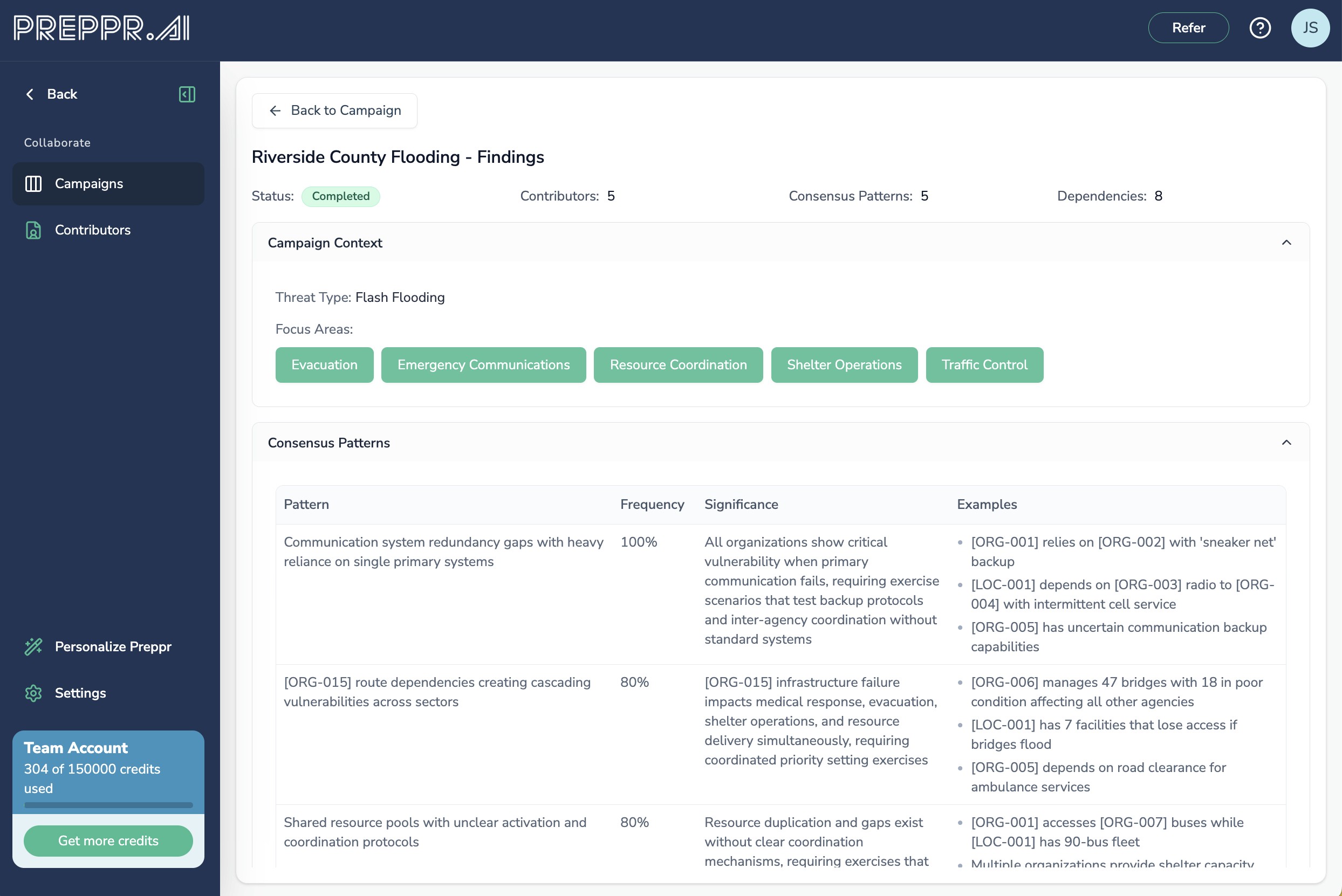
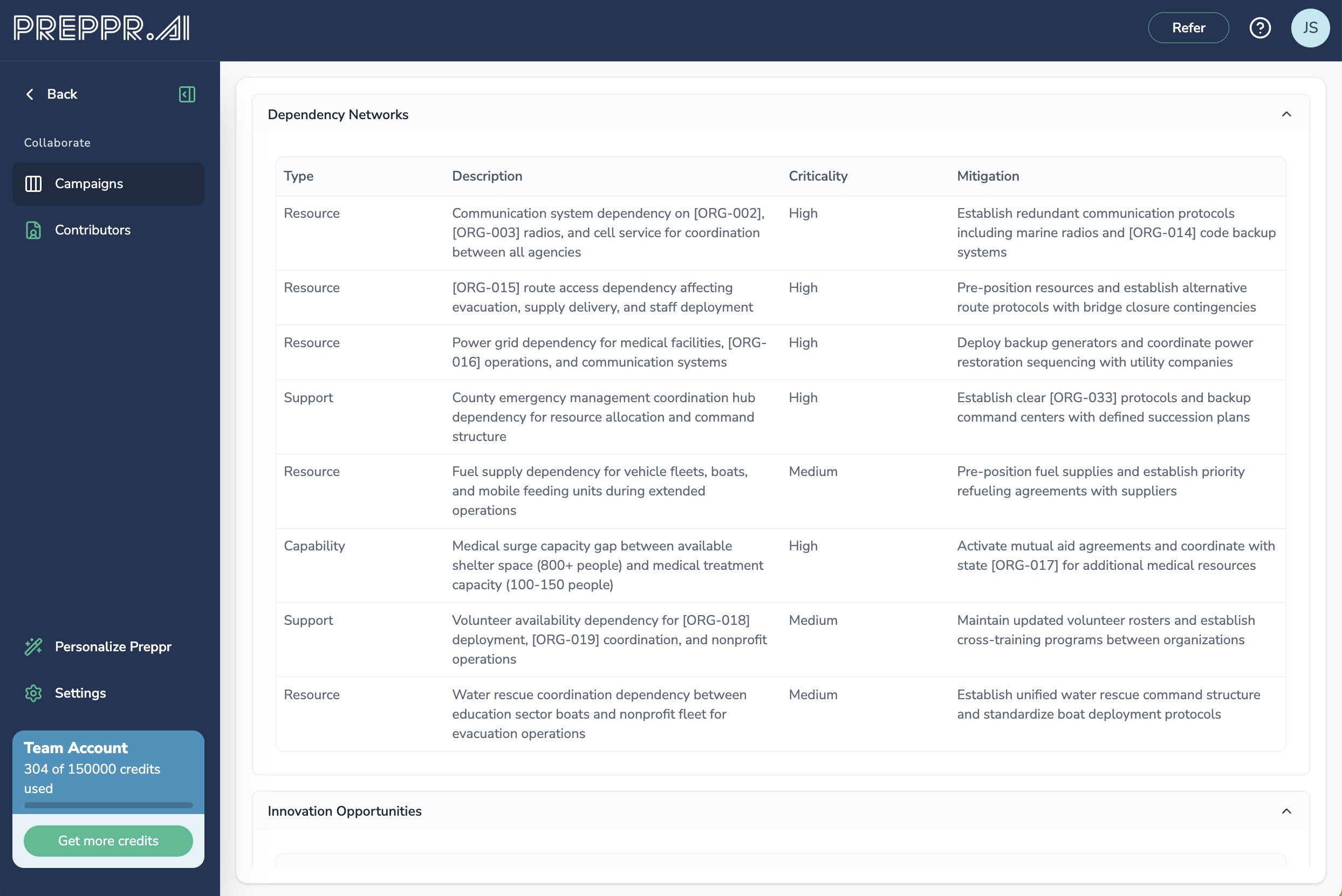
For organizations that want to ground their exercise design in genuine stakeholder intelligence before any of this begins, Preppr Collaborate provides the upstream layer. Through a structured four-phase workflow — Campaign Setup, Contributions, Synthesis, and Integration — Collaborate aggregates input from anywhere between a handful of stakeholders and a community-wide engagement of thousands. The synthesis engine identifies consensus patterns, critical dependencies, and gaps, then generates draft inject recommendations that feed directly into Exercise Designer. The result is an exercise that reflects what your stakeholders actually know and need, not what a single planner assumed.
Why non-linear matters
The old model of exercise design assumed a clean starting point: blank page, clear scope, dedicated planning time. Most organizations don't have that. They have a draft from last year with comments that never got addressed. They have a new threat that needs to be incorporated into an existing framework. They have a planning committee that can't agree on scope. They have a grant requirement with a 30-day deadline.
V2 is designed for those conditions. The starting point is wherever you actually are. The output is always a complete, doctrine-aligned exercise plan — with full documentation of how it was built and what changed along the way.
That audit trail isn't a bureaucratic artifact. It's what makes the exercise defensible to leadership, useful for accreditation, and valuable as a baseline for the next cycle.
Ready to see what Exercise Designer V2 can do with your materials? Start a free trial → or book a demo →